UX anti-pattern
Premature Conversion
Asking a first-time visitor to sign up, donate, or check out before they understand the offer. Breaks information scent, raises cognitive load, and triggers reactance.
- #ctas
- #onboarding
- #conversion
Executive summary
“Premature Conversion” is a recurring UX failure: the interface asks a first-time visitor to sign up, donate, create an account, or hand over personal data before they understand what the offer is, who it is for, and what happens next.
Three things go wrong at once:
- It breaks information scent — users can’t predict where a CTA leads.
- It raises cognitive load — they have to weigh a choice they aren’t ready for.
- It triggers psychological reactance — being pushed makes people back away.
The cost shows up in numbers. In ecommerce checkout — the most heavily studied case of the same pattern — roughly 70% of carts are abandoned. Among non-browsing reasons, ~19% of shoppers blame forced account creation and ~18% blame an over-long checkout.
The fix isn’t to remove CTAs. It’s to sequence them: orient first, ask second, and keep a shortcut visible for people who already know what they want.
Research basis
Two organisations carry most of the research weight on this pattern: Baymard Institute (ecommerce checkout, quantitative + qualitative) and Nielsen Norman Group (homepages, CTAs, login walls, forms).
Where claims appear in the article without an inline source, they are syntheses of these two bodies of research.
Definition and mechanism
A page exhibits this anti-pattern when it foregrounds a high-commitment action before answering the visitor’s orientation questions:
- What is this?
- Who is it for?
- Why should I trust it?
- What happens if I click?
A strong CTA is not the problem. The problem is timing and expectation mismatch — the ask arrives before orientation, or the label promises exploration while the next screen demands commitment. That’s why this pattern is common on homepages, donation pages, subscription services, and checkout entry points.
Four effects compound:
- Misleading labels weaken information scent. People judge whether a path is worth following from cues like link text and buttons; misleading cues distort that judgment.
- Asking before giving violates reciprocity. Users feel pushed before they’ve seen value.
- Equally prominent choices raise effort. Ambiguous priority forces slow, deliberate decisions where a glance should suffice.
- First impressions stick. A pushy first step biases the rest of the experience.
The two flow diagrams below show the difference. The first collapses arrival and commitment into one step; the second separates a high-intent shortcut from the default orientation path.
- User arrives
- Sees dominant CTA or form
- Clicks expecting explanation
- Account wall / long form / payment ask
- Still willing?
- Nobounce
- Yesconvert
- Back / bounce / competitor / distrust
- Higher-friction conversion path
- User arrives
- Fast orientation in hero — what, who, why
- Intent level?
- Highshortcut
- Low or mixedexplore
- Header shortcut CTA
- Learn more / compare paths
- Choose a path
- Action
- Confirmation
- Optional account creation / updates
Example patterns in the wild
What unifies these examples is not industry. It is the same expectation gap repeated in different guises: “I clicked because I thought I would learn or proceed; instead I was asked to commit.”
| Example | Why it illustrates the pattern | Evidence |
|---|---|---|
| Blue Apron | Users clicked “Get Started” to learn more, then hit an email wall instead of receiving plan details. | Baymard meal-kit research |
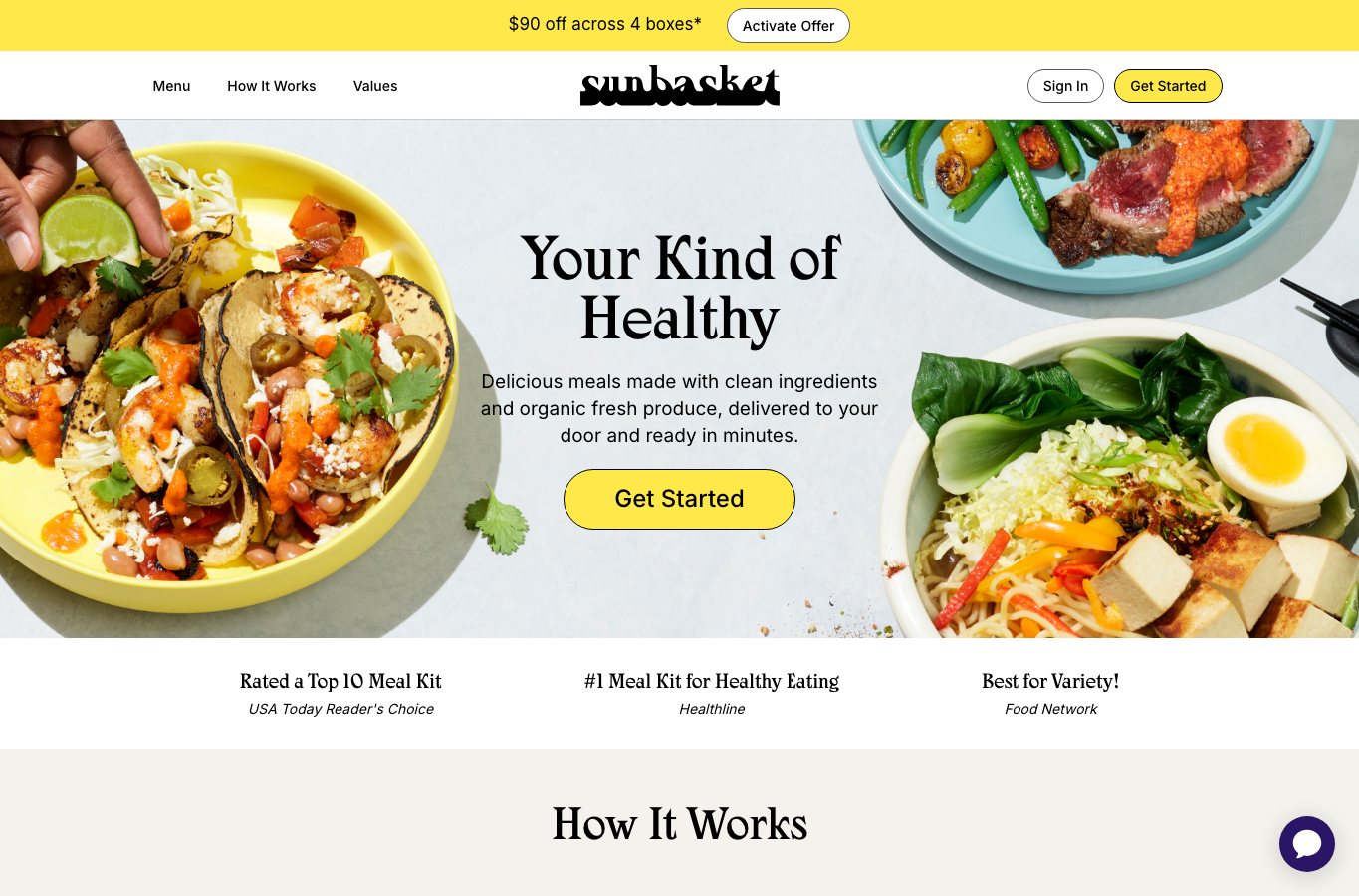
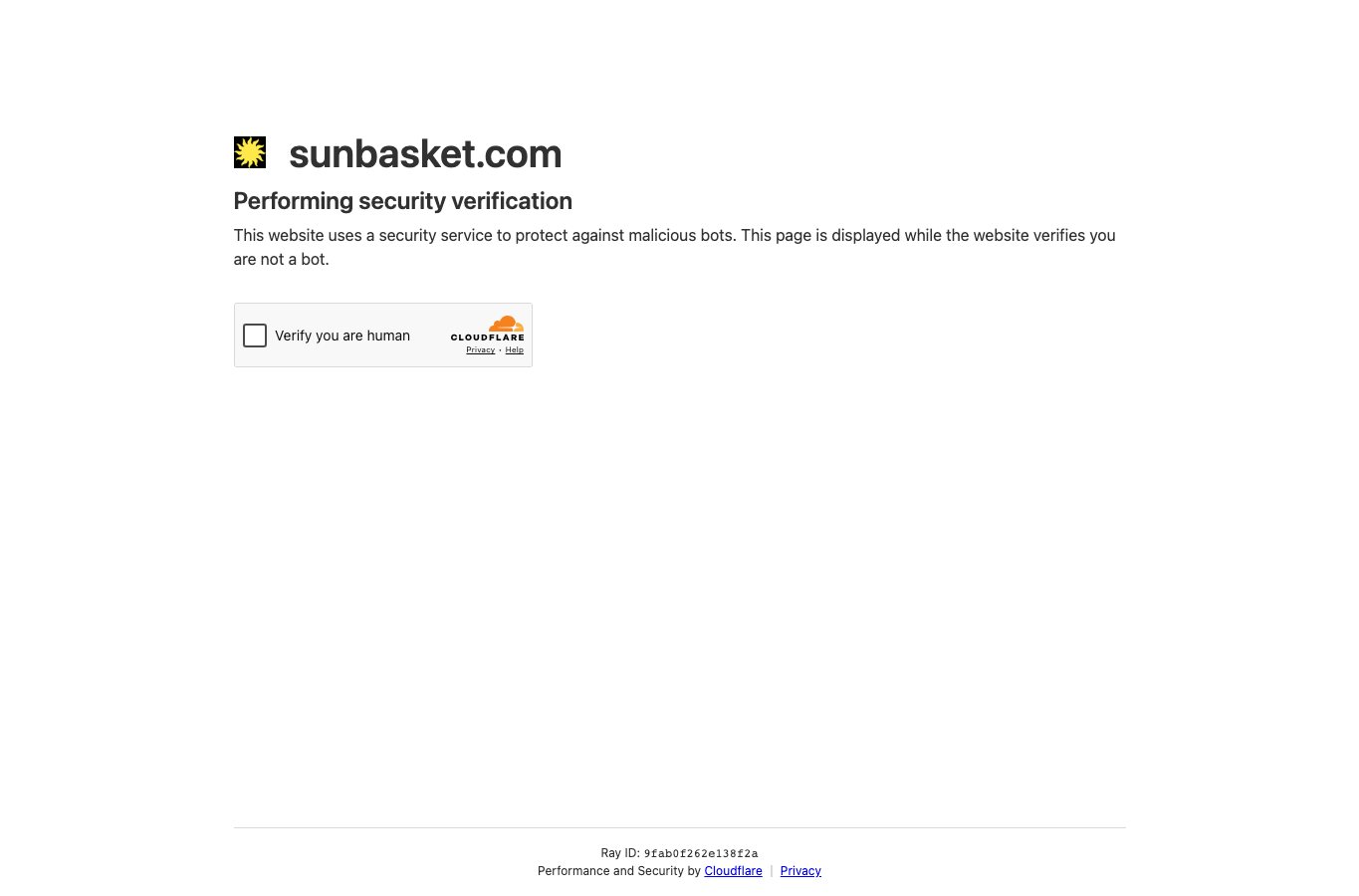
| Sunbasket | “Get Started” / “Build Your Basket” led to an account wall before pricing or schedule details were visible. | Baymard meal-kit research Captured May 12, 2026 Partial capture SunbasketCaptured May 12, 2026
|
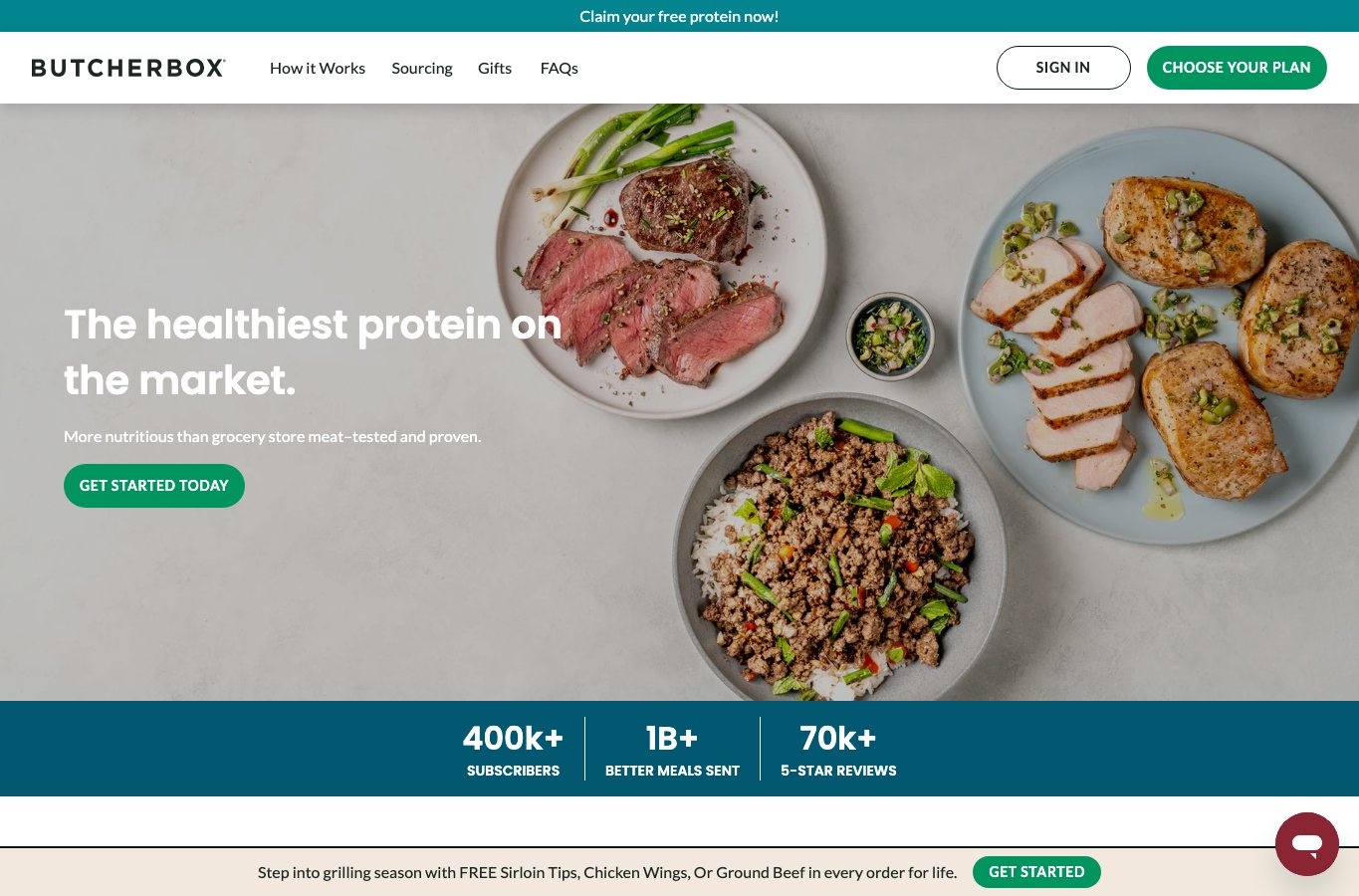
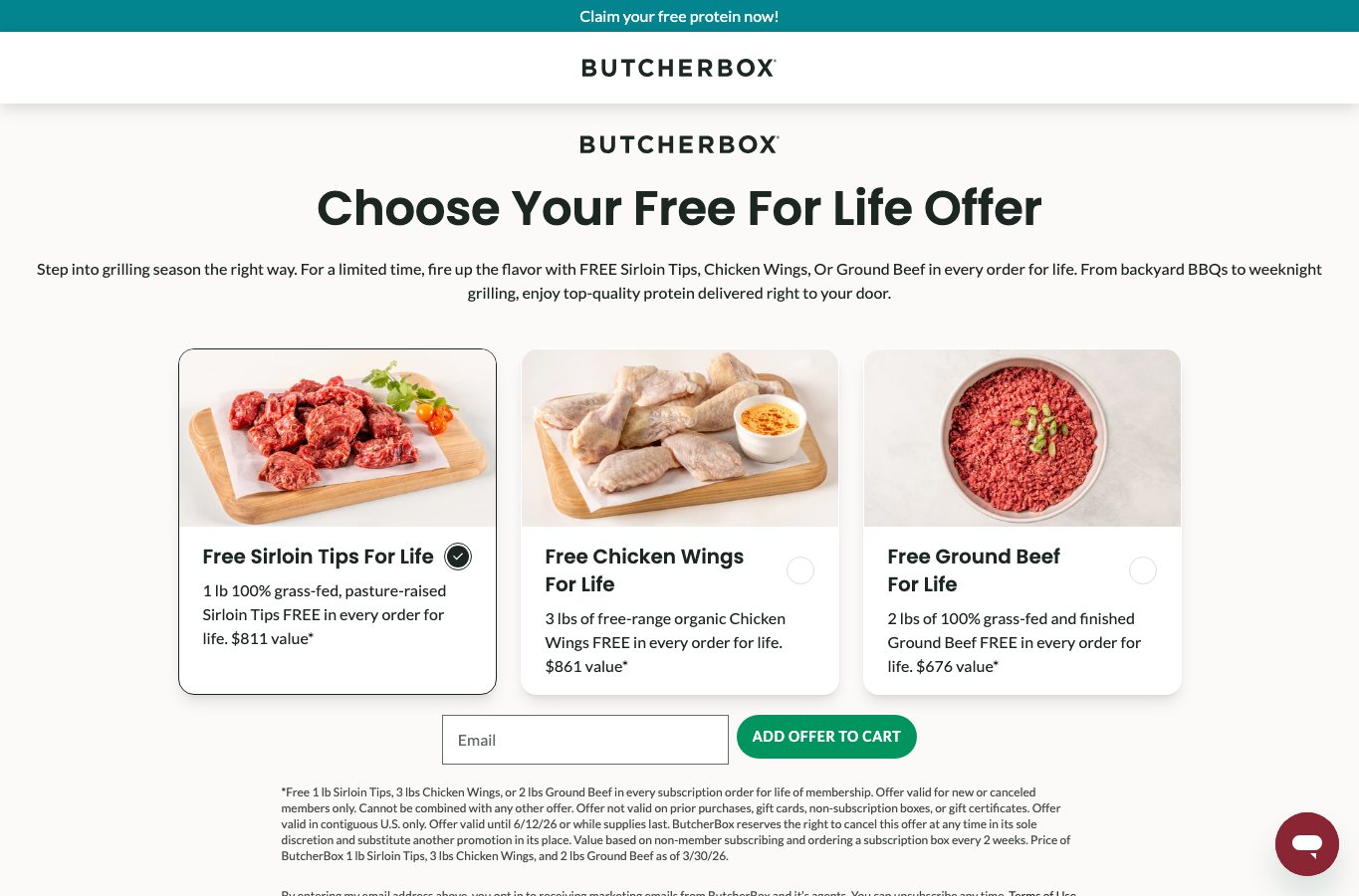
| ButcherBox | A plan-choice CTA jumped directly to an email field before the offer could be inspected. | Baymard meal-kit research Captured May 13, 2026 Captured flow ButcherBoxCaptured May 13, 2026
|
| Exploration is contingent on sign-up — the homepage frames itself as “Sign up to explore the world’s best ideas.” | Public homepage | |
| The web homepage is sign-up led; value is framed as “sign up to see photos and videos.” | Public homepage | |
| Nextdoor | Neighborhood discovery is tightly coupled to joining and address confirmation. | Public flow |
| Medium | Paywalled stories and sign-up prompts make “read first, then decide” a constrained path. | Public flow |
| H&M | The “New Customer” account-creation path appeared above the guest path, capturing guests unintentionally. | Baymard checkout research |
| Best Buy | A password/account request at the final checkout step was read as required. | Baymard checkout research |
| ASOS | Mobile users assumed an account was required because guest checkout was hidden below sign-in elements. | Baymard checkout research |
| Overstock | The guest path was visually subordinated below account-sign-in and create-account UI. | Baymard checkout research |
| Etsy | Even after choosing guest checkout, another account-creation invite later in the flow read as mandatory. | Baymard checkout research |
Impacts and measurement
The cost shows up as silent abandonment, not complaints. Users back out, switch to a competitor, or proceed with lower trust — none of which files a support ticket.
Treat orientation as its own funnel stage. The goal: tell the difference between users who are ready to act now and users who still need to gain confidence first.
| KPI | How to instrument | Why it matters | Direction |
|---|---|---|---|
| Landing-page bounce rate | GA4 non-engaged sessions on first-touch landing pages | A hard ask before orientation produces low-engagement exits. | lower |
| Engagement time | GA4 average engagement time per session or active user | Orientation failures suppress active attention on first-touch pages. | higher |
| Orientation CTA CTR | Clicks on “Learn more,” “How it works,” “See pricing,” “Compare options” | A healthy first-contact journey often includes information-seeking before commitment. | higher |
| Hard-CTA misfire rate | click_primary_cta → immediate_back / click_primary_cta → exit | The clearest signal that a CTA promised one thing and the next screen demanded another. | lower |
| Sign-up wall abandonment | view_signup_wall → exit / view_signup_wall → back | Direct measure of whether the first conversion ask is too early. | lower |
| Form start-to-completion rate | form_start → form_submit, segmented by new visitors | Premature asks depress completion when curiosity clicks are misclassified as intent. | higher |
| Step-level drop-off | Multi-step funnel by screen, especially the first step after the CTA | Friction shows up at specific steps, not only at final completion. | lower |
| Guest-path share | choose_guest_checkout / browse_without_account | A clearly offered guest path reduces false inference that account creation is mandatory. | higher |
| Return-visit assisted conversion | First-touch no-conversion visit followed by later conversion | Orientation-first design increases delayed conversions by building trust. | higher |
| Support-contact rate | Contacts or chats from landing pages asking basic orientation questions | If users contact support to answer “what is this?”, orientation is failing. | lower |
A practical event sequence for this pattern:
landing_view
→ hero_view
→ orientation_section_view
→ click_orientation_cta
→ path_choice_view
→ click_path
→ form_start
→ form_step_n
→ form_submit
→ confirmation_view
→ optional_account_create
Segment by new vs returning users, traffic source, device, and locale. Remember that “How it Works” pages are often first-touch surfaces from external links — don’t design only for people who already know the brand.
Fixes and experiments
The principle is orientation first, commitment second — and a shortcut visible for people who are already ready.
The fixes below split into two layers:
- Flow — guest checkout, delayed account creation, visible pricing, a clear “How it Works.”
- Language — destination-revealing CTA labels, one primary action per screen, no asking for too much too early.
| Problem sign | Design fix | Why it works |
|---|---|---|
| Hero asks for sign-up/donation before users know what the offer is | Lead with a clear value proposition, then path choice | The homepage should answer “why choose this site” from the first interaction |
| CTA says “Get Started” but next step is a form | Replace generic CTAs with destination-revealing labels — “See how it works,” “Browse plans,” “Compare options,” “Start checkout” | Users form expectations from labels; generic labels mislead, and link purpose should be clear from text or context |
| Two equally prominent CTAs compete in the hero | One primary CTA, one softer secondary CTA, optional tertiary text link | Equally salient CTAs force slower, effortful decision-making and increase cognitive strain |
| Users need a fast path but most visitors still need orientation | Put the high-intent shortcut in the header or sticky nav, not as the default hero job | Preserves speed for ready users without turning the hero into a premature-commitment trap |
| Signup/login wall blocks exploration | Allow preview, browse-as-guest, sample content, or limited exploration before requiring account creation | Show users what they get before asking them to register — reciprocity matters |
| Account creation interrupts checkout | Delay optional account creation until confirmation; tell users up front they can create one later | Keeps users focused and avoids the false impression that an account is required |
| Too much information or too many form fields at once | Use progressive disclosure and, where appropriate, one question per page | Breaks complexity into steps that are easier to scan and complete |
| Users cannot tell paths or plans apart | Comparison cards or grids with explicit differences, not implicit ones | Hidden differences slow decisions and increase selection errors |
| Privacy concerns appear at data-entry moments | Inline rationale and timing microcopy: why a field is needed, when the account can be created, how long it takes | Explaining data requests and delaying account creation reduces hesitation |
A/B test ideas
| Experiment | Control | Variant | Primary success metric | Guardrails |
|---|---|---|---|---|
| Orientation-first hero | Immediate hard CTA | Hero answers what / who / why first; primary CTA becomes “See how it works” or “Compare options” | Lower bounce, higher engaged sessions, higher view-through to path-choice section | Do not reduce total eventual conversion among returning users |
| Generic CTA wording | “Get Started” | Destination-revealing labels: “See pricing,” “Browse plans,” “Start checkout,” “Apply now” | Lower CTA misfire rate, higher qualified progression | Watch for reduced clicks from high-intent visitors |
| Dual hard CTAs | Two equal buttons in hero | One primary CTA, one softer secondary CTA, tertiary text link | Higher path certainty, lower decision hesitation | Track overall action starts and assisted conversions |
| Sign-up wall timing | Sign-up / email wall immediately after first CTA | Preview-first or browse-first path; ask later | Higher plan-page views, higher first-session progression, lower exit after CTA | Watch downstream lead quality, not only top-funnel starts |
| Account timing in checkout | Account creation before or during checkout | Optional account creation on confirmation page | Higher checkout completion, lower step drop-off | Track post-purchase account-creation rate as a secondary win |
| Information architecture visibility | Minimal or buried “How it works” details | 3-level architecture: overview, compare options, detailed links | Higher orientation CTR, longer engaged time on explanatory content, lower support contacts | Don’t inflate time through confusion; pair with path progression |
Accessibility, localization, and implementation assets
Vague CTAs and underspecified forms make orientation impossible — and assistive-tech users feel it first. Long, opaque forms then amplify the same problem once the user is inside the funnel.
| Consideration | What to do | Why it matters |
|---|---|---|
| Descriptive CTAs | Button and link text reveals destination or action | Users should be able to determine link purpose from text or context — especially important for screen readers and keyboard navigation |
| Form labels and required fields | Visible labels; include the word “required”; don’t rely only on an asterisk | Labels and instructions prevent incomplete or incorrect submissions, especially for cognitive, language, and learning disabilities |
| Predictable long forms | State time, required documents, save behavior, and next steps before users begin | Uncertainty increases cognitive load; transparency reduces mental effort |
| One thing per page | For long or sensitive forms, split questions into focused steps | Improves comprehension, error handling, and accessibility |
| Locale and language metadata | Correct lang / locale metadata; format dates, currencies, and names by locale | Language tags and locales are foundational for internationalized web behavior |
| RTL support | Mirror directional layout, icons, and step indicators for Arabic, Hebrew, and other RTL locales | RTL support must be considered from the start, not bolted on later |
Implementation checklist
- The hero answers what this is, who it is for, and why it matters in one screen
- There is exactly one dominant hero CTA
- A softer orientation CTA exists — “See how it works,” “Compare options,” “Learn more”
- High-intent shortcuts live in the header or sticky nav
- No generic “Get Started” without explicit expectation-setting
- No mandatory personal-data ask before preview unless the product is inherently private
- Optional account creation is delayed and previewed with microcopy
- The page includes a visible compare or “How it works” section before the form
- Every form field has a visible, programmatic label and required-state clarity
- Analytics distinguish orientation events from commitment events
Content templates
Hero copy variants
| Variant | Headline | Support copy | CTA stack |
|---|---|---|---|
| Orientation first | Understand the service before you decide | See what we offer, who it’s for, and how it works before you sign up or pay. | Primary: See how it works / Secondary: Browse options / Header shortcut: Start now |
| Community initiative | Find how you can help | Learn what this initiative does, who it supports, and the different ways you can contribute. | Primary: See ways to help / Secondary: Learn about the initiative / Header shortcut: Donate now |
| Subscription service | Explore plans before you commit | Compare plans, pricing, and what happens after signup. No account needed to browse. | Primary: Compare plans / Secondary: See pricing / Header shortcut: Start checkout |
| Volunteer or application flow | See whether this role fits you | Understand the role, expectations, and next steps before you apply. | Primary: Explore the role / Secondary: See time commitment / Header shortcut: Apply now |
CTA label ladder by funnel stage
| Funnel stage | Better labels | Labels to avoid |
|---|---|---|
| Orientation | See how it works, Learn what this is, Browse plans, Compare options, See pricing | Get started, Continue, Learn more when destination is unclear |
| Choice | Choose a path, Compare ways to help, Pick your plan, See volunteer roles | Next without context |
| Action | Donate now, Start application, Continue as guest, Reserve your spot, Create account | Submit when stakes are unclear |
Microcopy snippets
Short expectation-setting lines, placed close to the CTA or form:
- No account needed to browse
- Takes about 2 minutes
- You can create an account after checkout
- We only ask for your phone in case of delivery questions
- Compare plans before you choose
- You can save progress and come back later
- We’ll show pricing before any payment step
- Not ready yet? Get updates instead
These aren’t decoration. They reduce uncertainty and lower the perceived cost of continuing — exactly what early-stage visitors need.